How to save songs on Instagram ?

Are you looking for a song you heard on Instagram but cannot
find it again? With so much content on the platform, it is easy to lose track
of music you enjoyed. That is why it is helpful to know how to save songs on
Instagram. Saving songs allows you to keep your favorite music in one place and
reuse it in reels, stories, or posts whenever you want.
Instagram offers a built-in music library that includes a
wide range of songs and audio clips. These can be added to reels, stories, and
posts to make content more engaging and entertaining. Music on Instagram may
include short song clips, instrumental parts, trending sounds, or official
tracks from artists. By saving the music you like, you can quickly access it
later without searching again.
Why Instagram Music Is So Popular
Music plays an important role in making social media content
more interesting. Adding a song to a reel or story can instantly improve the
mood and emotional connection of the content. Music helps creators express
feelings, tell stories, and connect with viewers more effectively.
Many creators and brands also
use trending songs to increase engagement. When a reel uses a popular
sound, it has a higher chance of reaching more viewers. This is one reason why
Instagram music has become such a powerful feature for content creation.
How to Save Songs on Instagram
Saving songs on Instagram is quick and simple. You can save
music from reels, posts, or stories.
Saving Songs from Reels
- Open
the Instagram app.
- Find
a reel that contains the song you like.
- Tap
the audio name at the bottom of the reel.
- Tap
the Save icon to store the audio.
Saving Songs from a Post
- Open
the post with music.
- Tap
the audio title displayed on the post.
- Tap
the Save button.
Saving Songs from Stories
- Open
the story containing music.
- Tap
the music sticker or audio name.
- Tap
the Save icon.
Once saved, the audio will be stored in your Instagram
account.
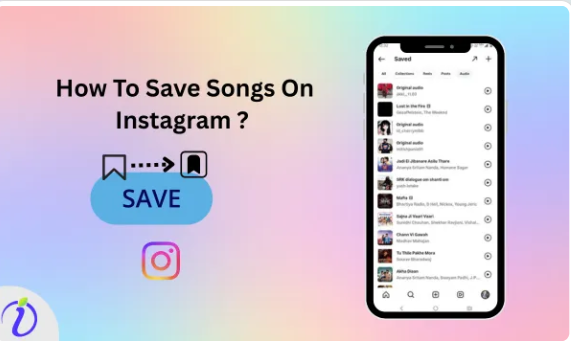
How to Find Your Saved Songs
To access your saved songs later:
- Open
your Instagram profile.
- Tap
the menu icon.
- Select
Saved.
- Open
the Audio collection to view all saved songs.
From there, you can easily use the audio while creating
reels, posts, or stories.
Tips for Using Saved Songs Creatively
Creators often save songs for future
content ideas. You can build your own music library and plan which songs
work best for different types of posts. Matching music with the mood of your
content makes it more engaging and memorable.
Trending songs can also help increase visibility, but adding
your personal style makes your content stand out. Planning your posts in
advance and organizing saved music can help maintain consistency in your
content strategy.
Conclusion
Learning how to save songs on Instagram helps you keep track
of music you love and makes content creation easier. Saved audio allows you to
quickly add the perfect soundtrack to your reels, posts, or stories. For
creators and brands who want to stay organized and consistent, tools like Indzu
Social can help manage and schedule social media content more efficiently.
For more visit us: https://indzu.com/blog/uncategorized/how-to-save-songs-on-instagram/


Comments
Post a Comment